
Fact-checked by the YoureNewsSource editorial team
In 2025, Stack Overflow’s survey found that 84% of developers were already using or planning to use AI tools in their workflow, and by March 2026, that number has only climbed higher. For someone who has never written a line of code, those figures can feel like a locked door. But the same AI models that seasoned programmers use to speed up their work are now packaged into beginner-friendly apps that let you describe what you want in plain English and watch a program take shape. This isn’t about learning to code in the traditional sense; it’s about building something functional on your first afternoon. The primary draw of AI coding apps beginners can use is that they skip the years-long ramp of syntax memorization and instead treat the AI as a collaborative engine.
The data maps a clear trend: a separate 2026 JetBrains survey reported that 44% of developers now use AI tools specifically to learn to code, not just to accelerate production work. Meanwhile, platforms like Replit, with its AI Agent that can spin up an entire app from a sentence-long prompt, have become the on-ramp of choice for people who have never touched a terminal. The barrier that used to stop absolute beginners cold, installing language runtimes, configuring environments, deciphering cryptic error messages, now collapses into a single browser tab. You don’t need a computer science degree, and you don’t need a $2,000 laptop; a $200 Chromebook and a free account will get you started today.
By the time you finish reading, you’ll know which AI coding tools are built for zero-experience users in 2026, how to set one up in under 10 minutes, and exactly what to say to the AI to produce a working program, complete with a walkthrough that shows you how to iterate, debug, and turn that first script into a real project. You’ll also see where these tools fall short, so you don’t mistake a helpful assistant for a magic wand.
Key Takeaways
- 84% of developers use or plan to use AI tools, and beginner-oriented apps now put that power in your hands without any coding background.
- Replit Agent, Mimo, and AI-augmented workflows in Cursor let you generate a working app by describing it in plain language; 44% of developers already use AI for learning to code.
- Free tiers are generous: Replit’s starter plan gives you a full-featured development environment, and Mimo’s free lessons carry a 4.9 App Store rating with zero cost to begin.
- Your first program, a calculator, a to-do list, or a personal dashboard, can be running in under 30 minutes, with the AI handling the boilerplate you’d otherwise spend weeks memorizing.
- Over-reliance without reviewing the output is the #1 beginner mistake; treat the AI like a tutor that explains its code, not a black box that you trust blindly.
- Mobile-first workflows are viable in 2026: Replit’s browser IDE works on tablets and phones, and Mimo’s lessons are built for touchscreens, so you can code during a commute.
- The biggest limitation isn’t the AI, it’s your own understanding. Pairing an AI coding app with a free structured course gives you retention that pure AI generation never will.
In This Guide
- Why AI Coding Apps Lower the Barrier for Complete Beginners
- Best AI Coding Apps for Zero-Experience Users in 2026
- Choosing and Setting Up Your First AI Coding Environment
- Writing Your First Program: A Guided Walkthrough
- Common Beginner Mistakes and How AI Tools Catch Them
- Scaling from One Program to Real Projects
- Privacy, Security, and What These Platforms Do With Your Code
- Limitations of AI Coding Apps and Building Real Skills
Why AI Coding Apps Lower the Barrier for Complete Beginners
Traditional programming instruction asks you to memorize syntax before you ever see a result. That approach filters out anyone who needs to see something work to stay motivated. AI coding apps flip the sequence: you produce output first, then, if you want, you unpack how it happened. The moment you type “create a currency converter that uses today’s exchange rates” into Replit Agent, a full web app appears, and you can inspect the Python or JavaScript that powers it. You aren’t struggling through a blank editor; you’re reverse-engineering a working example.
44% of developers use AI tools for learning to code, according to JetBrains (2026). The same tools that professionals use to upskill are now packaged for absolute beginners.
This shift was documented recently by the World Bank, which noted that rethinking coding assessment in an AI-assisted world means we must measure what a person can build, not what they can recite from memory. For a beginner, that’s liberation: your first afternoon isn’t spent on variable types and loops, it’s spent on a working app that does something you care about.
AI also demolishes the environment-setup barrier that historically caused 90% of would-be coders to quit before writing a single line. No local installs, no PATH variables, no package managers. Browser-based environments like Replit handle it all server-side. And because most AI coding apps beginners rely on are cloud-native, you can start on a borrowed laptop or a tablet and pick up where you left off on your phone. The experience is closer to using Google Docs than to traditional software development.
Natural Language Replaces Syntax Memorization
You describe the behavior you want, and the AI generates the code. That isn’t a gimmick, it’s the same prompt-driven approach that’s reshaping how professional developers build. A 2025 Stack Overflow survey found that 51% of professional developers now use AI tools daily, and many of those interactions start with a natural-language instruction. Beginners get to borrow that same interface without needing to know what a class or a method is.
The AI also acts as an instant interpreter. When you paste in an error message or ask “why did it do that?”, you get an explanation in plain English, often with a suggested fix. This feedback loop, describe, generate, debug, explain, compresses months of learning into hours of tinkering.
From ‘Learn to Code’ to ‘Describe What You Want Built’
UNESCO has explicitly recognized coding as a core competency in the age of AI, advocating for its integration into curricula to build critical thinking. But the way that competency gets built is changing. Instead of a linear path, HTML, then CSS, then JavaScript, you might start by asking an AI app to build a personal budget tracker, then gradually learn the pieces by modifying the output. You stay engaged because the project is yours, not a textbook exercise.
UNESCO reaffirms that coding is a core competency and new form of literacy in the age of AI, advocating integration into curricula for critical thinking and AI literacy.
Best AI Coding Apps for Zero-Experience Users in 2026
The marketplace sorts itself quickly when you filter for “no prior programming knowledge required.” Four tools dominate the conversation in March 2026, each with a different philosophy. Replit Agent builds full applications from prompts. Mimo teaches coding concepts through bite-sized lessons and adds AI assistance. Cursor packages an AI-augmented editor that’s closer to a professional IDE but gentle enough for a careful beginner. And plain ChatGPT or Claude sessions, while not purpose-built as coding apps, now generate and explain code with enough precision that they work as a lightweight on-ramp. The right pick depends on whether you want immediate project output or a structured learning path.
| App | Best For | Free Tier Includes | Requires Install? |
|---|---|---|---|
| Replit Agent | Instant app creation from plain English | Full IDE, limited Agent runs/month | No (browser) |
| Mimo | Structured, gamified coding lessons with AI hints | Core Python/JS lessons, AI explainer | iOS/Android app or web |
| Cursor | AI-augmented code editor with inline suggestions | Free tier with limited completions | Yes (desktop app) |
| ChatGPT / Claude | Ad-hoc code generation and explanation | Free access (rate limits) | No (web or mobile) |
Replit’s Agent deserves the top recommendation for pure beginners because it eliminates every friction point: sign up with Google, type a prompt, and 30 seconds later you have a live app with a shareable URL. Zapier’s March 2026 guide explicitly names Replit as the top beginner tool for that reason. Mimo, meanwhile, earned a 4.9 App Store rating as of its January 2026 update, it teaches Python and JavaScript through quick exercises, and its AI assistant explains concepts when you get stuck. If you want to learn systematically while using AI, Mimo is the choice.
Cursor, while more advanced, recently added a “zero-config” mode that lets you open a folder and start prompting without setting up extensions. It’s still best for users who are willing to spend 20 minutes watching an introductory video.
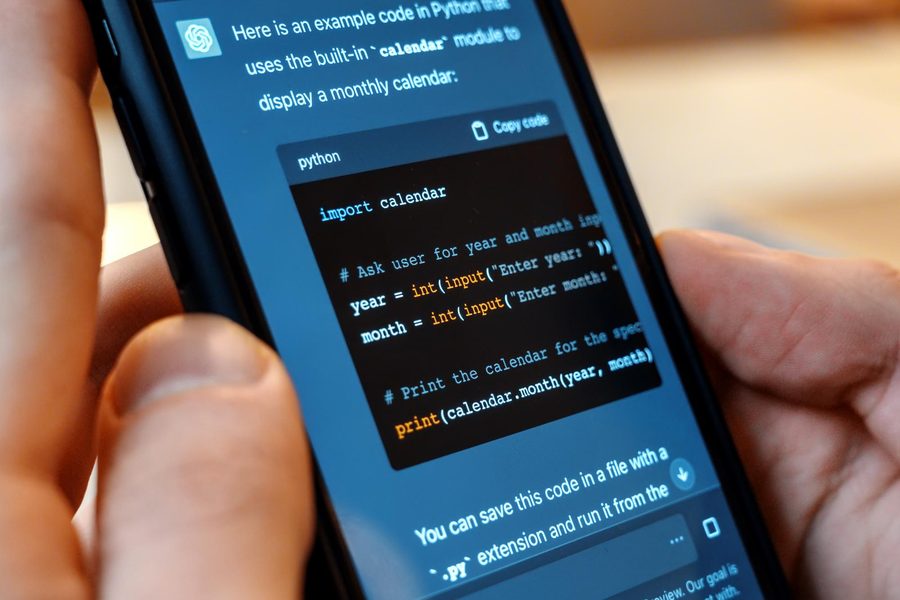
ChatGPT-based workflows, whether through OpenAI’s official interface or the Claude chat, are the wildcard. They don’t run your code, so you need a separate way to test output, but many beginners start there because the chat interface feels familiar. The trade-off is clear: full project hosting with Replit versus maximum conversational flexibility with a general-purpose chatbot.

Choosing and Setting Up Your First AI Coding Environment
You need a working environment by Friday. Not after a weekend of watching setup videos, by Friday. The fastest path is creating a free Replit account and launching a Repl (their term for a project workspace) with the “Agent” assistant turned on. There’s zero local installation, and the entire IDE runs in your browser. (If you prefer Mimo, download the app and start the “Python Career Path”, you’ll be writing code within three minutes, but you won’t build a standalone app as quickly as with Replit.)
Replit Setup in 10 Minutes
Go to replit.com, click “Sign Up,” and use your Google account. Once inside, select “Create Repl” and choose the “Python” template. Before you even name the file, toggle on “Agent” from the bottom-left panel. The agent is what turns your plain-English description into a complete program. For the first project, stick with Python, it’s the most common beginner language and the one Replit’s agent understands best.
Use a simple project name (like “hello-calculator”) and avoid special characters. The agent parses your prompt more reliably when the workspace is uncluttered.
Mobile and Tablet Workflows
Replit’s browser editor is touch-friendly enough that you can complete a full session on an iPad or even a large phone. The on-screen keyboard isn’t ideal for heavy typing, but because you’re giving high-level prompts to the agent rather than writing code line by line, you can productively build while commuting. Mimo, designed as a mobile-first app, functions flawlessly on any iOS or Android device, though its AI features are restricted to the in-lesson explainer and not full project generation. The upshot is that in 2026, you aren’t chained to a desk to learn to code.
Writing Your First Program: A Guided Walkthrough
Open your Repl with Agent enabled and type the following prompt, exact phrasing isn’t critical, but specificity helps:
“Create a simple calculator web app that lets me enter two numbers, choose an operation (add, subtract, multiply, divide), and display the result. Use HTML, CSS, and JavaScript in a single file.”
Hit Enter. Within 30 to 60 seconds, the agent will generate a functional calculator with styled buttons. Click the “Run” button at the top of the Replit interface, and a preview window opens with your live app. You can now test it by entering numbers and clicking operations. That’s it, your first program is running, and you haven’t memorized a single syntax rule.

Iterating With the AI Chat
The first version works, but it probably shows the result in a plain text field and doesn’t handle division by zero well. Use the AI chat panel inside Replit (next to the agent) to ask for improvements: “When the user tries to divide by zero, show a friendly error message instead of crashing.” The agent updates the code, and you hit Run again to see the change. This cycle, prompt, run, observe, refine, is the core loop that builds your intuition. Don’t skip the running step; you need to see the effect of each change or you’ll lose the thread.
Saving and Sharing Your Work
Replit auto-saves continuously, but you’ll also want to name your Repl permanently and, optionally, publish it. From the “Share” button, toggle “Published” and you’ll get a URL you can send to anyone. Showing a friend or family member a working app you “made” reinforces the progress faster than any tutorial certificate. (Later, you can export the code as a zip file if you want to host it elsewhere.)
| Prompt Iteration | What the AI Adds | What You Learn |
|---|---|---|
| Base: calculator with 4 ops | HTML structure, JS arithmetic, basic CSS | How a web page ties UI to logic |
| “Handle division by zero” | Conditional error message | If/else logic and error handling |
| “Add a clear button” | New button, state reset function | Event listeners and DOM manipulation |
| “Make it look like a phone calculator” | CSS grid layout, styling | Layout and responsive design concepts |
Common Beginner Mistakes and How AI Tools Catch Them
The biggest mistake is treating the AI’s output as finished work you don’t need to read. You get a functioning app, but if you never open the code files, you’ll be stuck when the app breaks or when you want to add a feature the agent can’t guess. Just like common errors when buying a used car, skipping the inspection phase costs you later. Spend five minutes poking through the JavaScript file and ask the AI to explain any line you don’t understand. The agent is a patient tutor, use that.
AI hallucinations happen. When Replit’s agent suggests a library or function that doesn’t exist, the app will fail silently. Always run your code after each change; if it breaks, paste the error into the chat and the agent will usually correct itself.
Scaling from One Program to Real Projects
Once the calculator is running, the next step isn’t another tutorial, it’s an app you actually want to use. A to-do list, a habit tracker, a simple inventory manager for a small side business. The common thread among successful beginners is that they pick a project with personal utility, and they let the AI scaffold the whole thing. You don’t need to design the architecture; you need to describe the outcome.
Start by prompting the agent with a structured spec: “Build a to-do list web app with a dark theme, local storage so tasks persist after closing the browser, and the ability to add, complete, and delete tasks.” The agent will generate an initial version. Test it. Then iterate with smaller prompts: add due dates, add categories, make it mobile responsive. Each request forces the AI to expand the codebase, and you’ll see patterns emerge, how state is managed, how components are structured, without anyone lecturing you about MVC.
Replit’s free tier lets you run a handful of agent-generated projects before asking you to upgrade. Plan your experiments so you use the free runs on projects that matter, don’t burn them on one-line tweaks.
When to Add Features Manually vs. Letting the Agent Expand
For the first three to five projects, let the agent do the heavy lifting. But after you’ve internalized the structure of a couple of apps, try writing a small feature yourself. Open the file, add a new button on the page, and wire it to a function. Use the AI chat to check your syntax (not to write it). This hybrid approach is what separates someone who “uses AI to code” from someone who is learning to code with AI as a coach.
Transitioning to Paid Tiers or Additional Tools
Replit’s free plan limits how many Agent runs you get per month, around 10, and the execution environment slows down after sustained use. When you hit that ceiling (you’ll know because the agent refuses to generate), you have two sensible upgrades: Replit Core at $15/month gives unlimited agent runs and faster computing, or you can move to a free local editor like VS Code with the recent AI productivity tool shifts that integrate Copilot-like features for free. The local setup requires a one-time environment configuration, but by the time you reach this point, you’ll have enough confidence to follow a 15-minute setup guide.
Privacy, Security, and What These Platforms Do With Your Code
Most beginners don’t think about data privacy until they’ve already uploaded a personal project, sometimes with API keys or half-formed business ideas, to a cloud platform. Replit’s terms state that by default, your Repls are private, but free-tier projects can become public if you share the link, and the platform’s AI models may be trained on public code. That’s not unique to Replit; it’s the norm across AI coding tools. If you’re prototyping a commercial idea, treat the agent like a public whiteboard until you explicitly set the Repl to private (available on the Core plan).
Never paste API keys, passwords, or database credentials into an AI chat. Even private conversations can be reviewed for abuse. Use placeholder strings like “YOUR_API_KEY_HERE” and swap them out after copying the generated code.
Browser vs. Local: The Privacy Trade-off
A browser-based environment like Replit means your code and all your interaction history sit on someone else’s server. The convenience is unmatched, and for learning projects that’s an acceptable trade-off. But if you eventually build something you don’t want anyone else to see, a proprietary tool for your freelance business, for example, you’ll want to transition to a local setup with an AI plugin that respects data boundaries. Just as Starlink changed rural internet by removing infrastructure barriers, cloud AI apps removed the setup barrier; you eventually decide whether to stay in the cloud or bring the tools in-house, and the decision should hinge on sensitivity, not just comfort.
Limitations of AI Coding Apps and Building Real Skills
AI coding apps will get you a working app faster than any course. They will not, on their own, make you a capable programmer. The distinction matters because the apps have ceilings. When your to-do list is complete and you try to add user authentication, the AI might produce insecure or buggy code that works superficially but fails under edge cases. At that point, the assistant can’t save you; you need to understand what you’re looking at.
The honest assessment from multiple 2026 reviews is that even advanced tools like Cursor and Claude Code recommend starting with simpler agents for users with zero prior experience, precisely because the more powerful the tool, the more dangerous an uninformed hand becomes. AI coding apps for beginners are designed to shield you from complexity, and that’s a feature, not a flaw, but the shield eventually must come off.
51% of professional developers use AI tools daily (Stack Overflow, 2025). They can do so safely because they know enough to validate the output. Without that validation skill, an AI coding app is a black box that works until it doesn’t.
Using AI as a Tutor, Not a Crutch
After every AI-generated feature, read the code aloud (yes, literally) and explain what each line does to yourself. If you can’t, ask the chat to explain it. This active retrieval, the same study technique that doubles retention in academic settings, is what prevents the “copy-paste-and-forget” loop. Pair this habit with a free structured course like Harvard’s CS50 or freeCodeCamp, and you get the best of both worlds: rapid, dopamine-fueled project building plus the conceptual scaffolding that makes you independent.
Recommended Supplements Alongside the Apps
UNESCO’s guidance on AI competencies emphasizes that students need both AI literacy and foundational coding skills. The apps provide the spark; a structured curriculum provides the fuel. Set a weekly rhythm: three sessions with the AI app building a personal project, one session with a curriculum-based course. After three months, you’ll have a portfolio and a working mental model, something neither resource alone delivers. And starting with less than $500 worth of equipment is realistic (a Chromebook plus free tools), so the only real investment is your time.
Real-World Example: From Zero to Personal Dashboard in Two Weeks
Consider an illustrative example: Maria, a marketing coordinator with no programming background, wanted a dashboard that pulled her team’s project deadlines from a spreadsheet and displayed them on her phone. She opened a free Replit account on a Tuesday evening, prompted the Agent with “create a web dashboard that reads data from a Google Sheet and shows upcoming deadlines in a clean list,” and had a functioning prototype by 10 p.m., about 2.5 hours of total tinkering, including four rounds of refinement to get the styling right.
Over the next weekend, she asked the AI chat to add color-coded urgency indicators (red for due within 24 hours) and to let her click a row to open the related Google Doc. Each iteration took roughly 15 minutes. By the end of Week 2, she had a tool her entire team used daily, and she could explain how the JavaScript fetched and parsed the sheet data. Before AI coding apps, the same project would have required learning HTML, CSS, JavaScript, the Google Sheets API, and OAuth, a minimum 6-month self-study commitment for someone working full-time.
The outcome: Maria didn’t become a software engineer, but she gained a concrete skill that immediately affected her career, and she built enough confidence to tackle a second project without hesitation. The cost? Zero dollars, and roughly 8 hours total.
Your Action Plan
-
Pick your tool today
Decide between Replit Agent (instant app building) and Mimo (structured lessons). If your goal is to see a working project this hour, choose Replit. If you want a guided learning path, install Mimo. Don’t over-research; both are free and easy to swap later.
-
Create your account and start a project
For Replit: sign up with Google, create a Python Repl, and enable Agent. For Mimo: download the app, start the Python Career Path, and complete the first three lessons, you’ll write basic code within 10 minutes.
-
Run your first “Hello World” and then the calculator
If using Replit, prompt the agent: “Create a simple calculator web app with HTML, CSS, and JavaScript.” Hit Run and interact with the output. This step proves the loop works.
-
Iterate three times with AI chat
Add error handling (division by zero), a clear button, and a style improvement. Each iteration teaches you how the AI responds to specific requests and how to test changes.
-
Pick a personal project before the weekend
Choose something you’ll actually use: a meal planner, a habit tracker, a simple inventory list. Describe it to the agent and build the first version. The personal stake keeps you engaged through the rough spots.
-
Read the code after each major addition
Spend at least 10 minutes per session opening the generated files and asking the AI chat to explain any line you don’t grasp. Active retrieval here is non-negotiable if you want to retain anything.
-
Supplement with one structured lesson per week
After two weeks of project building, add a weekly free course session (freeCodeCamp or CS50). This fills the conceptual gaps the AI alone can’t address and ensures you’re not entirely dependent on the agent.
Frequently Asked Questions
Do I need any coding experience to use AI coding apps?
No. The whole point of these apps is that you start from zero. Type what you want in plain English, and the AI generates the code. As you go, you’ll pick up concepts naturally by seeing them work in a real app.
Which app is completely free for beginners?
Replit’s free tier includes the full IDE and a limited number of Agent runs, about 10 per month in March 2026. Mimo’s introductory lessons are free, with a premium tier for advanced content. Both let you start without a credit card.
Can I really build a working app in an afternoon?
Yes, provided the app is well-defined (calculator, to-do list, dashboard). Complex apps with user authentication, databases, or payment integration will take longer and require learning beyond the AI’s initial output. But a functional single-page app is achievable in under two hours for a complete beginner.
Will I actually learn to code, or just copy what the AI does?
That depends entirely on your habits. If you passively accept the output, you won’t retain much. If you consistently read the generated code and ask the AI to explain it, you’ll build real understanding. The tool itself doesn’t decide your outcome, your follow-up does.
Is my code safe on these platforms?
Free-tier projects on Replit can be public by default when shared, so avoid storing sensitive information. For private, proprietary work, upgrade to a paid plan (which offers private Repls) or move to a local editor. Never paste real passwords or keys into AI chats.
What if the AI gives me wrong code?
It will happen. The AI can invent functions that don’t exist or misapply a library. Always run your code after each change. If it breaks, copy the error message into the chat and ask for a fix. The feedback loop is fast enough that most errors get corrected within one or two rounds.
Can I use these apps on my phone?
Yes. Replit’s browser IDE works on tablets and larger phones, and Mimo is a native mobile app. Heavy coding sessions are more comfortable on a desktop or laptop, but you can build and iterate on a phone during commutes or breaks.
Frequently Asked Questions (continued)
We’ve answered some common questions. Below are additional points clarified.
How long before I outgrow these beginner apps?
Most users find that after 3-5 solid projects, around two to three months of regular use, they start wanting features the free tiers don’t support (like private hosting, custom domains, or complex database setups). At that point, upgrading to a paid plan or transitioning to a local environment with an AI assistant is the natural next step.
Do AI coding apps help with understanding errors?
Yes. Both Replit and Mimo’s AI assistants explain error messages in simple language. Instead of cryptic stack traces, you’ll read something like “you’re trying to use a variable before defining it, here’s where to fix it.” This is one of the most underrated advantages for beginners.
Will using AI make me skip the fundamentals?
You might skip memorization of syntax, but you’ll still encounter fundamentals through use: variables, loops, conditionals, functions. If you treat the AI as a translator, you’re still the one choosing what logic to apply. To avoid gaps, periodically test yourself by writing a small feature without the AI, even if it’s messy at first.
Sources
- Stack Overflow, 2025 Developer Survey: AI
- JetBrains via UVIK, AI Coding Assistant Statistics 2026
- UNESCO, Guidance for Policy-Makers on AI in Education
- World Bank, Rethinking Coding Assessment in an AI-Assisted World
- UNESCO, Coding as a Core Competency in the Age of AI
- Replit, Official Site
- Mimo, Official Learn-to-Code App
- Cursor, AI-First Code Editor
- Zapier, March 2026 Guide to AI Coding Tools
- freeCodeCamp, Free Coding Curriculum
- Harvard CS50, Introduction to Computer Science
- Anthropic, Claude