Fact-checked by the YoureNewsSource editorial team
Quick Answer
Freelance designers using AI apps for freelancers like Adobe Firefly, Midjourney, and Notion AI have reported cutting client revision rounds by 40–50% by generating aligned visual concepts before production begins. As of July 2025, these tools reduce average project turnaround time by up to 30%, directly increasing billable capacity.
AI apps for freelancers have shifted from novelty to necessity in the design industry. According to McKinsey’s generative AI research, creative professionals who integrate AI tools into their workflows report productivity gains averaging 25–40% — with client-facing revisions being the single largest time cost eliminated.
For freelance designers, fewer revisions mean higher margins, faster delivery, and stronger client relationships. The shift is happening now, and the tools driving it are more accessible than ever.
Why Do Revisions Drain Freelance Designers So Badly?
Revisions are costly because they signal a misalignment between the designer’s interpretation and the client’s mental image — not a lack of skill. Most freelance designers lose 6–10 hours per project to revision cycles that stem from this gap, according to AND CO’s Freelance in America report.
The core problem is verbal briefing. Clients describe visual outcomes in abstract language — “make it pop,” “feel modern,” “something clean” — and designers translate that verbally into pixels. Without a shared visual reference, the first draft almost always misses something.
The Hidden Cost of Each Revision Round
Each revision round costs more than time. It delays final payment, occupies calendar space that could be billed to another client, and erodes the client’s confidence. A designer billing $75/hour who spends three extra hours on revisions per project loses over $10,000 annually across just five recurring clients.
Key Takeaway: Freelance designers lose an average of 6–10 hours per project to avoidable revisions, according to AND CO’s Freelance Report. The root cause is misaligned visual expectations set during verbal briefings — not poor execution.
Which AI Apps for Freelancers Actually Reduce Revisions?
The most effective AI apps for freelancers in the design space fall into three categories: concept visualization tools, brief-alignment assistants, and feedback interpretation engines. Each targets a different stage of the revision cycle.
Concept Visualization Tools
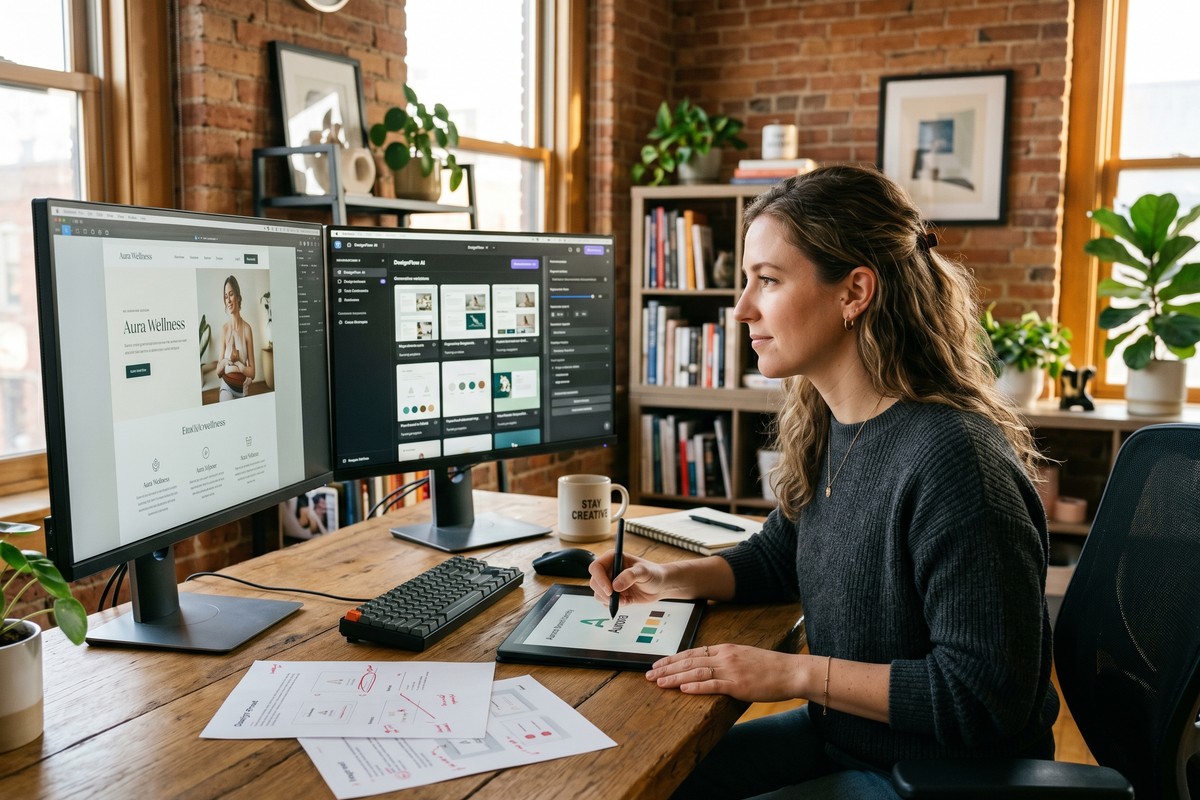
Midjourney and Adobe Firefly allow designers to generate rapid visual mockups directly from a client’s brief language. Instead of submitting a finished design, a designer shares five AI-generated concept directions in the first 30 minutes. The client selects the closest match, and production begins from an agreed visual foundation.
Brief-Alignment Assistants
Notion AI and ChatGPT (OpenAI) help designers restructure vague client briefs into structured creative documents. A designer pastes a client’s email and prompts the AI to extract specific deliverables, tone keywords, and visual constraints. This structured output replaces ambiguous verbal agreements before a single pixel is placed.
Feedback Interpretation Engines
Figma’s AI features and Canva’s Magic Studio help translate feedback like “make the header feel lighter” into actionable design variables — font weight, whitespace ratios, or color contrast adjustments. This reduces subjective back-and-forth into defined parameters. For a broader look at how these tools evolved, see what changed in AI productivity tools in 2026.
| AI Tool | Primary Use Case | Avg. Time Saved Per Project |
|---|---|---|
| Midjourney | Visual concept generation | 3–5 hours |
| Adobe Firefly | Asset creation and iteration | 2–4 hours |
| Notion AI | Brief structuring and documentation | 1–2 hours |
| ChatGPT (OpenAI) | Feedback parsing and scope clarification | 1–3 hours |
| Canva Magic Studio | Rapid layout variation testing | 2–3 hours |
Key Takeaway: Tools like Midjourney and Adobe Firefly save designers 3–5 hours per project by generating visual concepts before production starts. Using Adobe Firefly’s generative AI shifts the first client touchpoint from finished draft to aligned concept.
How Does the AI-Assisted Workflow Work in Practice?
The workflow shift is straightforward: AI enters at the brief stage, not the revision stage. A designer who waits for AI to fix problems after the fact still absorbs the full revision cost. The designers seeing 40–50% fewer revisions use AI before the first draft is shown.
The process follows four steps. First, the designer runs the client brief through an AI assistant to extract visual parameters. Second, they generate five to eight concept directions using Midjourney or Firefly. Third, the client selects a direction — synchronously or asynchronously. Fourth, production begins on the pre-approved concept only.
Why the Concept-First Step Is the Critical One
Sharing low-fidelity AI mockups reframes the client’s role. Instead of reacting to a finished product, they become active co-selectors before investment is made. This psychological shift reduces defensive feedback and produces more specific, actionable input when revision is genuinely needed.
“When clients choose a visual direction before production begins, they feel ownership of the outcome. Revision requests drop sharply — not because the designer improved, but because alignment happened earlier in the process.”
Key Takeaway: Inserting AI concept generation before the first draft reduces revision rounds by up to 50%. The method works by shifting client involvement earlier — a principle supported by Harvard Business Review’s research on collaborative decision framing.
What Do the Numbers Say About AI Apps for Freelancers and Earnings?
AI apps for freelancers do not just save time — they directly expand billable capacity. A designer who recaptures 8 hours per month from eliminated revisions can take on one additional small project per month at current market rates.
According to Upwork’s Freelance Forward 2023 report, the median hourly rate for freelance graphic designers in the United States is $45–$85. Recapturing even six hours monthly yields $270–$510 in recovered earnings — before adding new project revenue.
Separately, a 2024 survey by Fiverr found that 78% of freelancers who adopted AI tools reported improved client satisfaction scores within three months. Client satisfaction correlates directly with repeat business and referral rates — two of the highest-leverage growth levers for independent designers.
Key Takeaway: Freelancers recapturing 6–8 hours monthly through AI-assisted workflows gain the equivalent of one additional small project per month. Upwork’s 2023 data shows median designer rates of $45–$85/hour, making those recovered hours immediately monetizable.
How Do AI Apps for Freelancers Change Client Relationships Long-Term?
The long-term effect of AI-assisted workflows is a redefinition of the designer’s role. Clients begin to perceive the designer less as an executor and more as a strategic visual partner. This perception shift commands higher rates and longer engagements.
Designers who present structured AI-generated concept decks in discovery calls consistently report higher project approval rates. The visual fluency signals professionalism and preparation. It also compresses the sales cycle — clients who see aligned options early commit faster.
There is a secondary effect worth noting. As AI apps for freelancers reduce low-value revision work, designers can invest recovered time into higher-value activities: strategy, brand consulting, and systems design. These services command 2–3x the hourly rate of production work, according to the Graphic Artists Guild Handbook on pricing and ethical standards.
Key Takeaway: AI-assisted workflows shift client perception from executor to strategist, enabling designers to charge 2–3x standard rates for advisory services. The Graphic Artists Guild Handbook documents this pricing tier as the highest-growth segment for independent design professionals.
Frequently Asked Questions
What are the best AI apps for freelancers who do graphic design?
The top AI apps for freelance graphic designers are Midjourney for concept generation, Adobe Firefly for asset creation, and Notion AI for brief structuring. Canva Magic Studio is a strong entry-level option for designers who work primarily in marketing collateral. Each tool addresses a different friction point in the client workflow.
How much can AI reduce client revisions for freelance designers?
Designers using AI concept visualization tools before production report 40–50% fewer revision rounds per project. The reduction comes from aligning visual expectations before any production work begins, not from improving design quality after the fact.
Do I need to pay for AI tools as a freelancer to see real results?
Paid tiers deliver meaningfully better results for client-facing use. Midjourney’s base plan starts at $10/month and Adobe Firefly is included in existing Creative Cloud subscriptions. Most freelancers recover the subscription cost within a single project through time saved on revisions.
Will clients know I am using AI in my design process?
Disclosure is a professional choice, but most designers frame AI concept mockups as “rapid ideation tools” rather than final deliverables. Clients generally respond positively to receiving multiple visual directions early. Transparency about your process typically strengthens trust rather than undermining it.
Can AI apps for freelancers replace the design brief process entirely?
No — AI tools augment the briefing process, they do not replace it. The most effective workflow uses AI to structure and visualize the brief’s content, not to generate the brief itself. Human judgment is still required to ask the right discovery questions and evaluate which AI concepts align with brand strategy.
How do AI productivity tools for freelancers compare to hiring a virtual assistant?
AI tools cost $10–$50/month and operate instantly on demand, while a virtual assistant typically costs $15–$30/hour for comparable administrative tasks. For revision management specifically, AI tools outperform VAs because the bottleneck is visual alignment, not task delegation. For a wider comparison of how AI is reshaping work tools, see what changed in AI productivity tools in 2026.
Sources
- McKinsey & Company — The Economic Potential of Generative AI
- Upwork — Freelance Forward 2023 Report
- Adobe — Firefly Generative AI Overview
- Graphic Artists Guild — Handbook: Pricing and Ethical Standards for Graphic Designers
- Harvard Business Review — The Surprising Power of Questions
- AND CO — Freelance in America Annual Report
- Figma — AI Features Overview